

if you want to change the default login theme for users, the one that is displayed when they login to cPanel, WHM, and WebMail, here's what you have to do.
1. Log in to your WHM Root Account.
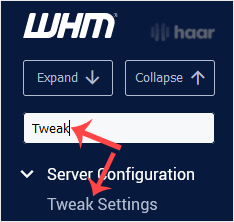
2. Go to Server Configuration >> Tweak Settings or type Tweak in the menu filter box.
The option Tweak Settings will appear. Just click on it.
3. Under Tweak Settings, click on the Display tab.
Find the Default Login Theme option and select the theme of your choice.
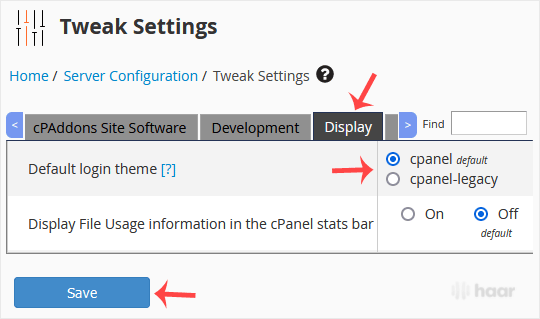
4. Scroll down to the end of the page and click on Save.
The new login theme will be applied from now on.
You can also check how it looks by visiting your cPanel, WHM, or Webmail login page.